Capabilities
From recommendation to placed order
One cart per supplier
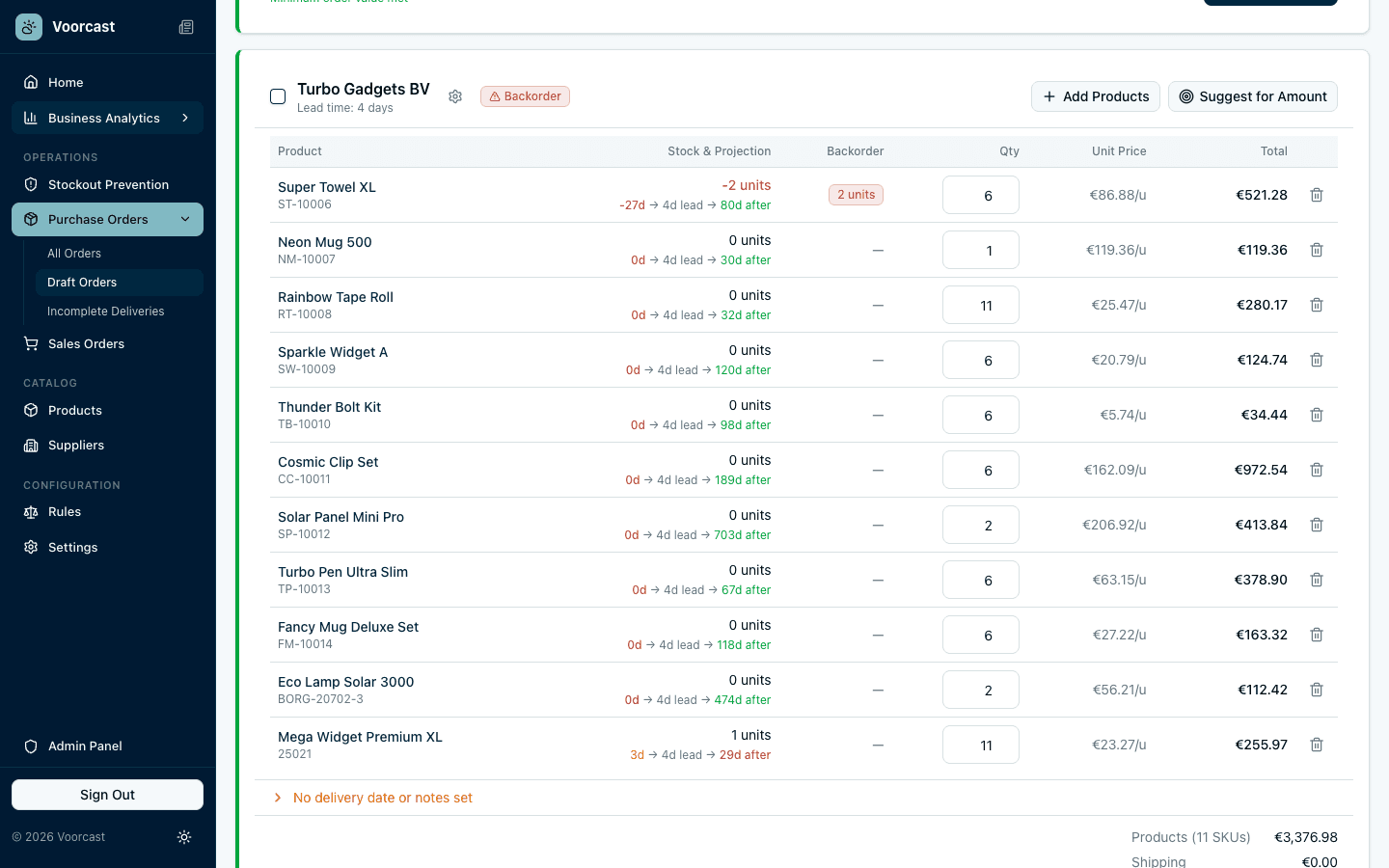
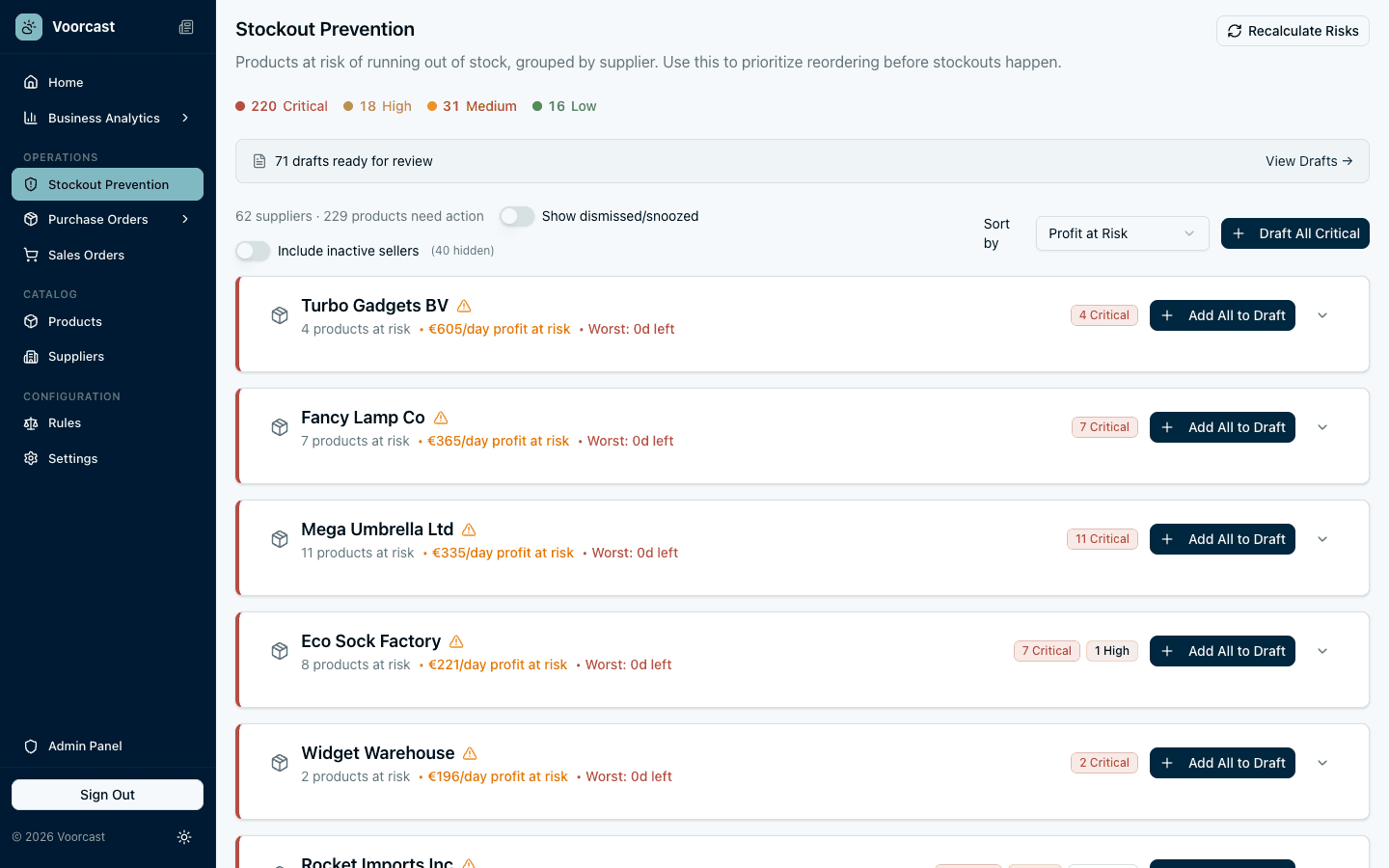
Reorders are grouped by supplier, not flattened into a global queue, so each cart matches how you actually place orders.
Auto-filled from demand
Each cart starts with the recommended quantities already in place. You review, adjust, send. No spreadsheet pass first.
Multiples & minimum orders respected
Order multiples and minimum-order values are honoured before the cart hits your screen. The smallest order that meets your stock target keeps capital out of inventory.
Learns from your edits
Every quantity tweak, addition, and removal is recorded. Recurring patterns get folded back into the next round of recommendations.
Supplier-Grouped Cart
Built to match how you actually place orders
Prioritising across suppliers happens automatically. The cart is the human surface. Each supplier gets its own cart with the right products, the right quantities, and the right cost handling for that supplier's shipping and minimum-order rules.
- Per-supplier shipping costs and minimum-order values pre-applied
- Backorder products surface at the top, always
- Edit, add, remove: every change is recorded
Continuous Learning
Your edits are signal, not noise
When you bump a quantity, drop a product, or pull one in, Voorcast notes it against that supplier. Recurring patterns ("this buyer always adds 20% on Provence rosés") feed into the next recommendation so the gap between what we suggest and what you actually order narrows over time.
- Per-supplier patterns: quantity bumps, additions, removals
- Recommendations adjust against your editing history
- No global thresholds to tune: the learning is per supplier
Related
Picqer integration
Purchase orders sent from the cart land in Picqer with the full audit trail.
Stockout prevention
The cart is the action that prevents the stockout Voorcast flagged.
Supplier intelligence
Supplier-grouping is the cart's organising principle, and each supplier's track record tells the cart how aggressive to be.
Frequently asked questions
How does Voorcast decide what to put in each supplier's cart?
Recommendations are computed per SKU from demand forecasts and current stock, then grouped by supplier. Quantities respect the supplier's order multiples and minimum-order values; Voorcast picks the smallest order that meets your stock target, then layers shipping and tier economics on top.
Can I edit the cart before sending?
Yes, every quantity, product, and line is editable. Voorcast remembers your changes so the next round of recommendations narrows the gap between what we suggest and what you actually order.
What happens after I send the cart?
The purchase order is sent to the supplier through Picqer with the full audit trail. Backorder timestamps populate automatically, and the lead-time clock starts so the supplier's delivery scores this PO when it arrives.
Does Voorcast respect order multiples and minimum-order values?
Yes, both are enforced before you see the cart. Voorcast picks the smallest order that meets your stock target, then balances shipping and tier economics on top, so you never see a cart that violates the supplier contract.
What about backorders? Do they automatically show up?
Always. Any backordered product for a supplier surfaces in that supplier's cart regardless of where it sits in the demand-based ranking. Catching up on backorders is non-negotiable.
See it on your data.
Connect Picqer or Magento and Voorcast surfaces these features from your real catalogue. No setup, no thresholds to tune.
Request Early Access